GuideObsidian workflow
YouTube Transcript for Obsidian
Choose your vault folder once, then turn videos, playlists, and channels into notes you can search, link, tag, and keep offline.
Free local Markdown · no account required
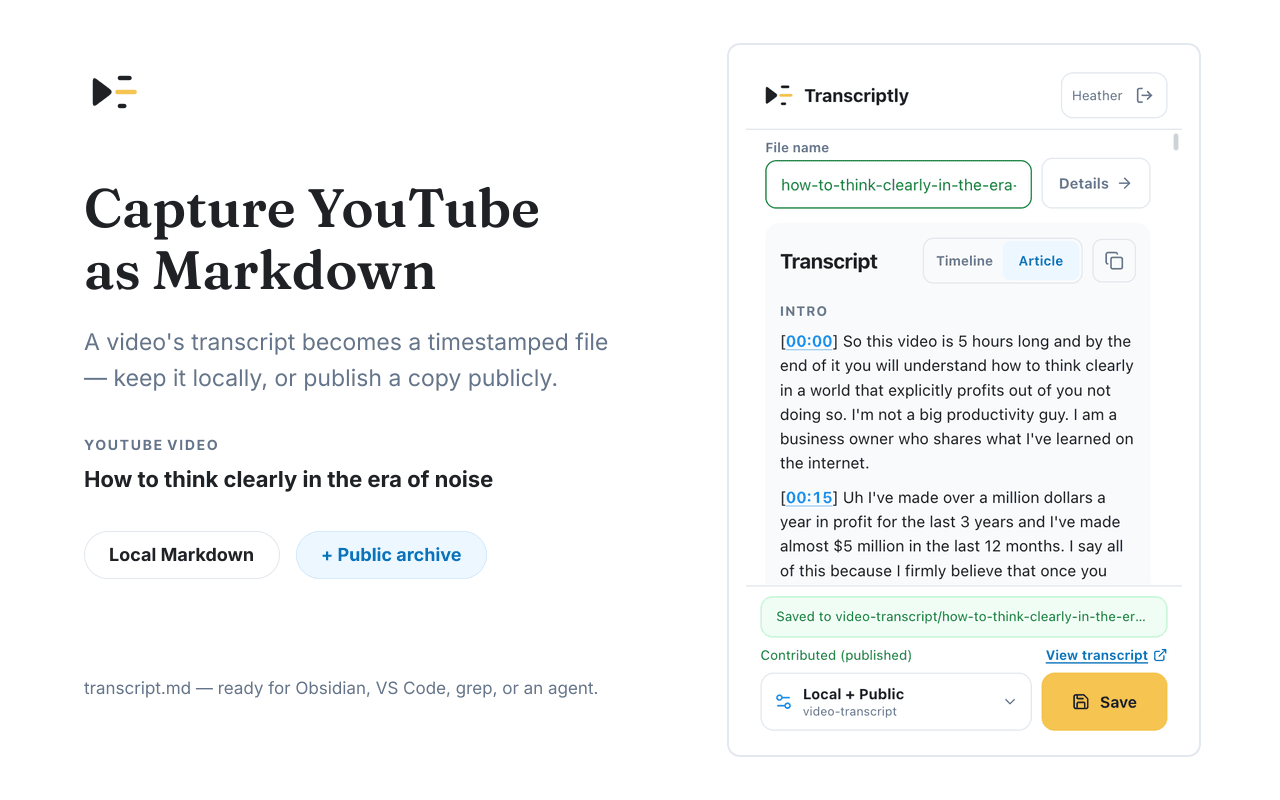
How it worksQuick guide
From YouTube page to your folder.
- 01
Choose your vault folder
When you first save, select an Obsidian vault or a folder inside it as Transcriptly's local destination.
- 02
Capture a video or batch
Save one video from its watch page, or select videos from a playlist or channel for a batch capture.
- 03
Open the note in Obsidian
The transcript is already a .md file, so Obsidian indexes it with the rest of your vault.
- 04
Follow timestamps when needed
Each timestamp is a Markdown link back to the matching moment in the original YouTube video.
FAQBefore you install
Common questions, answered.
Do I need an Obsidian plugin?
No. Transcriptly writes standard .md files to a folder you choose. Obsidian simply indexes them as part of the vault.
Will it change my existing notes?
No. Transcriptly only creates the files you explicitly save. It does not alter existing notes, settings, or vault structure.
Are timestamps clickable in Obsidian?
Yes. Each timestamp is a standard Markdown link to that moment in the original YouTube video.
Can I use the files outside Obsidian?
Yes. The files are ordinary Markdown, so they also work in VS Code, a Git repository, or any text editor.
Make your next YouTube session searchable.
Install Transcriptly and save the transcripts you want as Markdown files you control.