GuideChannel transcripts
YouTube Channel Transcript Downloader
Research a creator's back catalog, build a reading queue, or keep a channel's best videos in one local Markdown collection.
Free local Markdown · no account required
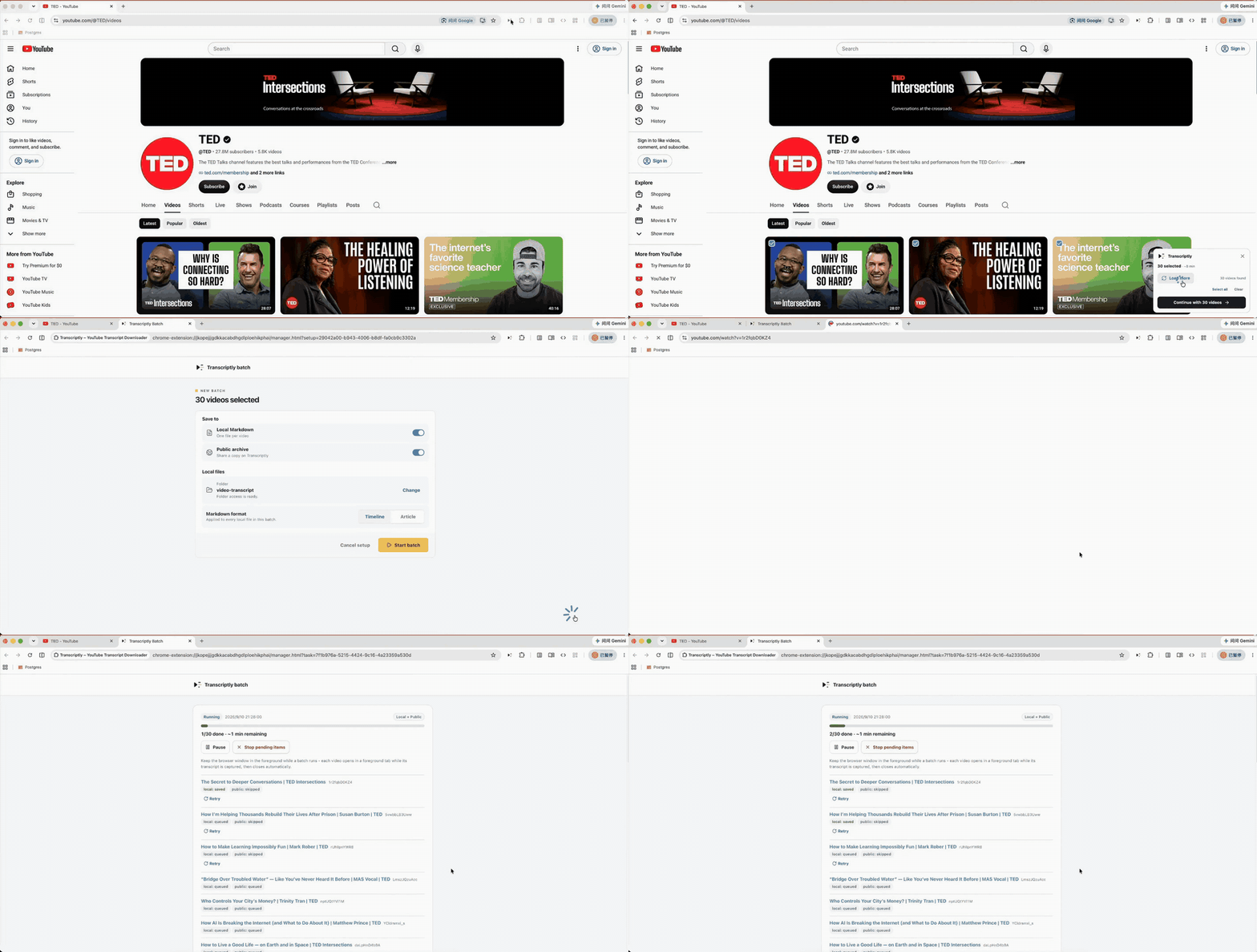
How it worksQuick guide
From YouTube page to your folder.
- 01
Open the channel's Videos tab
Go to the YouTube channel you want to research and choose Videos.
- 02
Start selecting
Use Transcriptly to select individual videos, load more results, or build a larger collection.
- 03
Start batch capture
Confirm your local destination and start the queue. Progress remains visible in the batch manager.
- 04
Keep the files
Every capture lands as portable Markdown that works with your existing notes and tools.
FAQBefore you install
Common questions, answered.
Can I choose only some channel videos?
Yes. Selection is explicit: tick the videos you want, load more results if needed, then start the batch.
Does Transcriptly download videos or audio?
No. It captures the transcript text already available on YouTube and writes Markdown files. It does not download video or audio.
Can I load more channel videos before choosing?
Yes. Load more videos on the channel's Videos tab, then continue selecting. Transcriptly keeps the selection ready for the batch.
Can a batch run in the background?
The batch manager tracks the queue, but keep the browser window in the foreground while captures run so YouTube can load each video reliably.
Make your next YouTube session searchable.
Install Transcriptly and save the transcripts you want as Markdown files you control.